Description
Take Your Designs to the Next Level with Canva Pro!
Designing is now much easier and more fun! Canva Pro is a platform specially developed for those who want to create professional designs. Whether it’s social media posts, presentations, or logo designs, you can do everything easily with Canva Pro. So, why is Canva Pro so preferred? Here are the answers!
What is Canva Pro?
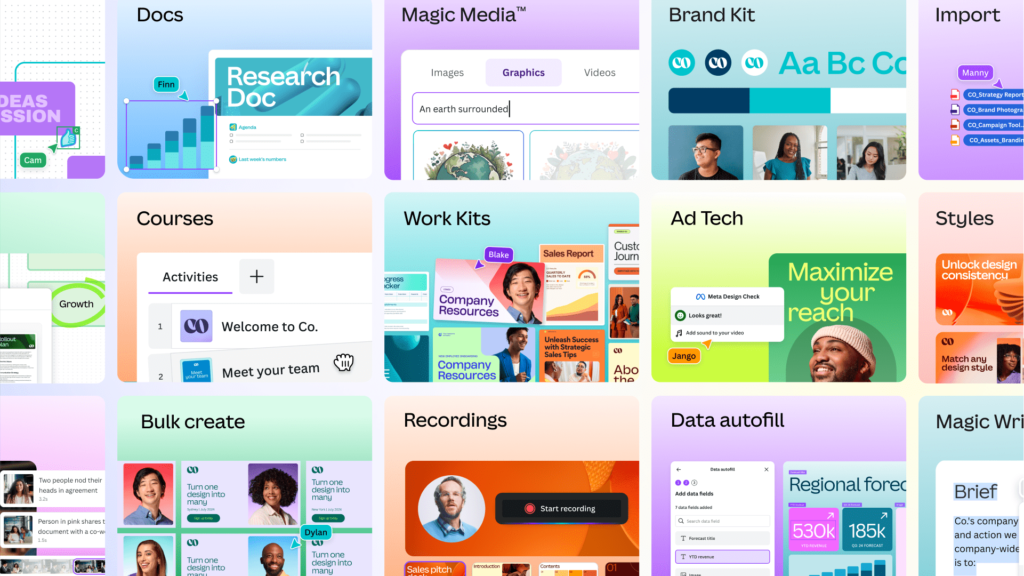
Canva Pro is a much more advanced version of the features offered to standard Canva users. It allows you to take your designs to the next level with features such aspremium templates, custom fonts, over 100 million stock images and background removal. You can also ensure that your brand has a consistent look with the brand kit creation feature.
What are Canva Pro Features?
- Premium Templates: Create your designs quickly with thousands of professional templates.
- Custom Fonts and Color Palettes: Use custom fonts and color palettes for your brand.
- Stock Images and Videos: Over 100 million stock images and videos to enrich your designs.
- Background Removal: Remove the background of your photos with one click.
- Brand Kit: Save your brand’s colors, fonts, and logos for a consistent look.
- Teamwork: Work on projects with your team members and collaborate in real-time.
Canva Pro Prices and License Options
It offers different license options for individual users and teams. You can choose the plan that suits your needs withmonthly or annual subscription options. You also have the chance to explore the features with Canva Pro free trial. Don’t miss Canva Pro discount opportunities on our site!
How to Buy Canva Pro?
Buying Canva Pro is easy! By clicking the Buy Canva Pro button on our site, you can start your subscription in a few steps. After the payment process, you can get instant access to Canva Pro features.
Why Choose Canva Pro?
It is a platform trusted by millions of users worldwide. By browsingCanva Proreviews, you can see the satisfaction of users. Also, we are always with you with 24/7 technical support.
Download Canva Pro and Start Designing Now!
Making professional designs is now very easy. Download Canva Pro and empower your designs with the most advanced features. Don’t miss Canva Pro campaigns on our site, buy now!
What Can You Do with Canva.com?
▬ FOR YOU: → Video → Instagram Post → Logo → Banner → Poster → Business Card → Instagram Story → A4 Document → Your Story → Presentation → Banner (Horizontal) → Card (Horizontal) → Facebook Post → Flyer → Photo Collage → Resume → Advertising Tape (Horizontal) → Social Media → Facebook Cover Photo → Mobile Video → Brochure → Desktop Wallpaper → Certificate → Invitation (Square) → Animated Social Media → Newsletter
▬ PRESENTATIONS: → Presentation → Talking Presentation → Mobile Friendly Presentation → Presentation (4:3) → Brainstorming Presentation → Game Presentation
▬ SOCIAL MEDIA: → Photo Editing (Change the look of your existing photos with special effects and features) → Instagram Post → Facebook Post → Instagram Story → Your Story → WhatsApp Status → Facebook Cover Photo → Tiktok Video → Youtube Thumbnail → Youtube Promotion → Animated Social Media → Social Media → Youtube Channel Image → Twitter Post → Pinterest Pin (1000 × 1500) → Linkedin Ad Band
▬ VIDEO: → Create Video (New) → Facebook Video → Video Message → Mobile Video → Video Collage → Youtube Video Ad → Streaming Video Ad (Vertical) → Slideshow Video → Linkedin Video Ad → Tiktok Video
→ Pinterest Video Pin
▬ MARKETING: → Banner → Logo → Flyer → Business Card → Blog Ad Banner → Big Sticker → Facebook Ad → Gift Certificate → Email Cover Image → Round Sticker → Ad Banner (Horizontal) → Instagram Ad → Ticket → Coupon → Youtube Video Ad
▬ OFFICE: → Curriculum Vitae (CV) → A4 Document → Report → Planner → Letter → Letterhead → Proposal → Graphic Organizer → Invoice → Flyer (Landscape) → Checklist → Note → Wall Calendar (11 × 8.5)
▬ MORE: → Infographic → Photo Collage → Desktop Wallpaper → Graphic → Book Cover → Mind Map → Magazine Cover → Zoom Virtual Background → Website → Calendar → Poster (Landscape) → Worksheet → Report → Planner → Comic → Proposal → Syllabus → Concept Map → Artistic CD Cover → Graphic Editor → Small Sticker → Youtube Promotion → E-Book Cover → Lesson Plan → Schedule → Blog Image → Bookmark → Phone Wallpaper
✰ ALL YOUR DESIGNS (This section contains the designs you have already completed and the designs you are continuing)
✰ SHARED – Pro (Designs and folders shared with you are in this tab)
✰ ALL YOUR FOLDERS (This menu contains all the special folders you have created. Also trash, items you starred, purchases, etc.)
✰ TEAM (Invite Members, Own Team Profile Settings – Designs, Folders, Templates, Apps, People, Groups, Settings)
TOOLS (Brand Kit – Add Brand Logos, Brand Colors, Brand Fonts, Content Planner – Calendar Schedule)
Reviews
There are no reviews yet.